Friday, June 29, 2012

DSLR + Android smartphone + USB OTG = WIN

Untitled

The camera on your smartphone has one huge advantage compared to most dedicated cameras. It's always connected to the Internet. For every shot you take, you can instantly share it.

For every other camera, how would the user get their pictures on the Web?

Typically, you need to get the photos from the camera onto an Internet-connected PC.

Usually, I import my photos to my desktop PC. It isn't a terribly tedious process. But imagine if I'm away from home and have just taken a shot with my camera that's so great that I feel the need to share it right away.

Enter USB On-The-Go.

Hit the break to read on.

Friday, June 15, 2012

Just bought a Nikon D5100

My Nikon D60 has served me quite well over the last two years. Alas, it was time for it to retire. With my kids entering the toddler years, I need a camera that can keep up with their constant motion. The D60 shot admirably, but I longed for something with better low-light and high-ISO performance.

Enter stage left, the Nikon D5100. (Google it for specs and reviews)

The camera performs brilliantly. Even at high-ISO settings, there's no noticeable image noise. For that reason, I'm able to set the auto-ISO's minimum shutter speed more aggressively, not fearing how high the cam will increase the ISO in low-light situations.

The result: Clear photos of a moving subject without the use of my flash. I love it!

Friday, July 8, 2011

Samsung Galaxy S II - Tips & Tricks

Pinch at the Calendar's month view to go into year view.

Pinch twice in the stock browser to see your other windows.

With the TouchWiz launcher, pinch at the homescreen or app drawer to go into thumbnail view.

With the TouchWiz launcher, navigate the homescreen or app drawer by tapping or swiping those little dots on the bottom.

In the call history (log) or contacts, swipe left to send SMS or swipe right to call the person.

Tap and hold the notification bar until the bottom shade disappears. This should take about 1 second. Then  swipe laterally to adjust screen brightness.

Press Home + Power button to take a  screenshot. Root not required!

Go to about:useragent in the stock browser to amend the user agent string. Note that the change only applies to the current window/session.

Go to [Settings > Accessibility] or [Settings > Call > Call answering/ending] to toggle on "The power key ends calls". You may also toggle on "Answering key" here to use the Home button for answering calls but that's a personal preference.

Go to [Settings > About phone] and spamming the "Android version" with taps will give you an Easter Egg.

In the Calculator app, slide down the number pad to reveal previous calculations.

Hold the Menu button to bring up contextual search (equivalent of pressing the Search button on other devices).

Press the Home button twice to bring up Voice Command.

Hold the Home button to bring up the 6 most recent apps as well as shortcut to the Task Manager.

In the Camera app, press the Menu button and tap Edit shortcuts to have quick access to up to 4 settings.

In the Camera app, use the volume rocker for digital zoom.

While watching a video with the default video player, press the Power button to lock the screen while keeping it on.

In the Camera app, you can tap the screen to focus on an area other than the center. Alternatively, you may frame the object you want to focus on in the center, tap and hold the on-screen shutter button and then move to reframe the shot to your liking. The focus will lock. Release the shutter button to take the shot. I find this to be faster than using tap-to-focus.

Pressing *#0*# in the phone dialer will bring up LCD test.

In the Email app, pinch to collapse all emails by date.

With the Samsung Keyboard, if you enable "Keypad sweeping", you can access punctuations by swiping laterally across the keyboard.

Personal app recommendations to improve usability.
Dolphin Mini. The stock browser supports hardware acceleration which helps with rendering speeds. But Dolphin Mini is no slouch in this area. I think the ability to permanently set the user agent string and to go full-screen greatly improves the browsing experience.
LauncherPro Plus. Fast and smooth animations. Useful and elegant looking widgets. Highly customize-able. I just find it better in every way than the Touchwiz launcher.
Widgetlocker Lockscreen. Allows you to place homescreen widgets on your lockscreen. Just like in HTC Sense 3.0, allows you to launch applications from the lockscreen.
SugarSync. Auto backup all your phone's photos taken with the cam to the cloud and have that auto sync with your PC.

Samsung Galaxy S II Review


3 words are used to describe the Galaxy S II on Samsung's product page: Vivid. Fast. Slim.
It's hard to disagree with Samsung. The screen is brilliant. Performance is blazing. And the device is so light and thin it is jaw dropping.


The device has been reviewed by many tech sites and bloggers already. So I'll try to keep from repeating things that have been combed over already.

Aesthetics
How thin and light the device is can't be overstated. You would almost begin to wonder if this was really a functional smartphone.

It's large in hand. Using this device with one hand is difficult at best.

There's no notification light. This won't bother people coming from another device without a notification light. But for those that are used to having a notification light, this omission is glaring.

Back battery cover feels extremely flimsy. Exercise caution when removing and attaching it. But this becomes a none issue once it's actually on the device. Also, it's been shown that the battery cover can actually be bent pretty far and still retain it's shape.

A common criticism is that Samsung phones feel cheap due to the amount of plastic used. Aside from the screen, most of it is indeed plastic. However, it certainly doesn't feel cheap. The device doesn't creak or flex. It feels very solid and high quality in hand.

Super AMOLED Plus screen is brilliant. Blacks are true blacks. Colors are saturated (maybe over-saturated to some). However, whites look more like grays. But it's not too noticeable without a side by side comparison. Pixel density isn't as large an issue as I thought it might be. Text look plenty sharp. I struggle to make out individual pixels.

Standby/Power button is located off to the side rather than the top like it is for most devices. This makes sense given the size of the device. The location on the side makes it accessible with one hand. There's a setting that allows you to set that button to double as a call-end key which is nice.
As much as I like this button configuration, it does take time to get used to. It's easy early-on to accidentally hit the volume rocker as you squeeze the device to hit the standby key (and vice-versa).

The location of the light sensor seems awkward to me. It's located on the device's top left. Most people would rotate the device counter-clockwise to get into landscape mode. But if you do that (especially when typing), your left hand will likely cover the light sensor. If you have auto brightness on, your screen will suddenly dim.

On a related note, the light sensor is extremely sensitive. Slight changes in ambient luminosity will trigger drastic screen brightness changes. For this and the above reasons, it make sense to disable auto brightness. I personally just set it at around 30%.

Performance
The phone is fast, but then you  already know that. I had a quick hands-on with the HTC Sensation which is also a 1.2ghz dual core beast. The Galaxy S II definitely feels faster than the Sensation. Where the Sensation occasionally has the rare lag, the Galaxy S II simply does not.

In my HTC Desire review, I had mentioned that it was fast and smooth. The Galaxy S II, brings new meaning to fast and smooth.

Onscreen keyboard
Comes with Swype. I won't cover that since everyone knows how awesome Swype is. The following applies to the Samsung keyboard.

The predictive text is very good. It's on par or better than HTC's keyboard. The 4.3" screen allows you to type really fast even in portrait mode.

In IM apps like Google Talk, the Enter key is replaced by a dedicated key for emoticons. This is a minor annoyance since I'm so used to hitting the Enter key to send my message rather than hitting the "Send" button located on top.

If you turn on predictive text and start typing, a bar above the keyboard appears that shows you what the keyboard thinks you're typing. Rather than being an overlay, it shifts everything onscreen up to accommodate itself. When you hit the Spacebar, that bar disappears and everything onscreen shifts back down. This repeats when you begin typing your next word. So, what happens when you're typing full speed is everything onscreen just keeps shifting up and down. As such, you'll need to keep your eyes on the keyboard or else you'll just end up dizzy.
The predictive text sometimes kick in when you don't want it to. Eg, when entering email addresses occasionally.

Browser
Going into tabbed view by using the pinch gesture requires you to do it twice. It's nice but, personally, I'd rather just hit the Menu key and tap "Windows". Usually, I'm zoomed in on the web page when I want to switch to a different window. If I want to do the gesture to get to the tabbed view, I need to double tap to zoom out and then pinch twice. Seems more convenient to just do the 2 taps.
Speaking of browser tabs, you can have a maximum of 8. That's a huge improvement over HTC's 4.

In the Touchwiz homescreen and app tray, there are a couple of dots along the bottom that you can swipe to navigate quickly between the pages. These same dots appear in the browser's tabbed view. But you can't swipe along them like you can in the homescreen and app tray. Not a big deal, but it would have made sense to make this feature consistent across the UI.

The notification bar is always on top when using the browser. Would have been nice to be able to hide the bar, but it's not in the way most of the time. It's only in the way when you go full-screen on Flash content.
The toggle to disable mobile website view is missing. A workaround would be to change the browser's user agent via about:useragent. But this change doesn't stick. It only applies to the current session.

Text does not dynamically reflow according to the zoom level. It only reflows at one zoom level, which is the double-tap zoom. Workaround would be to adjust the "Default zoom" in the browser settings to suit your needs.

Browser is fast. Checkerboard patterns rarely appear and in the instances that they do, they last only for about a fraction of a second. On my HTC Desire, the browser starts to get choppy if I enable javascript and Flash. But even with those 2 items enabled, the performance is outstanding on the Galaxy S II.

Adobe Flash performance is great. With the HTC Desire, I was able to play the Flash-based game Plants vs Zombies but animations were choppy and screen presses were not always properly detected. On the Galaxy S II, the experience is much more playable and enjoyable.

Other Software
There's plenty of videos on TouchWiz and the various preinstalled applications, so I'll try to just briefly touch on a few items.

You can have up to 7 homescreens. Unless you root, the main one is always the one on the far left. The homescreens don't loop. That is, you won't be able to get to the far right homescreen from the far left by swiping once. You navigate between the homescreens by either swiping one by one, tapping the corresponding dots on the bottom, or sliding the dots. You can also do a pinch gesture to get to thumbnail view.

The application tray is side-scrolling. The applications are not in alphabetical order and there's no way to quickly sort them other than manually moving them around (unless you root). The layout is eerily similar to iOS. Navigation is done in the same way as the homescreens.

If you integrate your contacts with Facebook, the contacts' Facebook profile picture will be used. However, the photos appears heavily pixelated. Also, the photos sometimes default back to the Google Contacts photo. I can't seem to figure this out.

A few observations on the included widgets:
-There are several widgets which can be resized to show more or less information depending on your needs.
-With all the various clock widgets, tapping them does nothing. It would make sense to have it direct you to the clock application.
-There are 2 widgets named "Agenda". The first one on the list only shows calendar items on the local calendar, not your Google Calendar which is just silly.
-There are widgets for AccuWeather.com, AP Mobile, and Yahoo! Finance. When you tap each of these widgets, you are taken to their respective applications. Yet, these applications are not available in the app tray.

Music Hub appears to only work in limited regions. Unfortunately, it's not supported where I am.

Social Hub attempts to consolidate all your social networking feeds in one area like HTC's Friendstream. While it supports more sites than Friendstream, it's not very practical to use. Most would simply prefer to use the dedicated apps for Facebook, Twitter, etc. It does include a native IM app that supports Windows Live Messenger, Google Talk, and Yahoo Messenger. It gets a bit confusing if you sign in for Google Talk since there's already a dedicated app for that.

Readers Hub is just a portal to access PressDisplay, Kobo, and Zinio. Not much to get excited over.

Game Hub allows you to download game demos which tries to get you to pay full price after it gets you addicted.

Polaris Office is included which allows you to edit Microsoft Office documents. Most people would be more than satisfied with it. It integrates with Box.net which does offer Google Docs integration if you pay a subscription fee. Because of this, I personally prefer Docs-to-go which integrates with Google Docs after just a one-time fee.

Samsung Apps is just another app store. I see no reason to use this over the Android Market.

Misc
A problem with AMOLED screens is that it's impossible for the user to know if the screen is off or it's just displaying black. When you power off the device, the screen goes black for a moment and then it vibrates just a bit to let you know that it's done powering off. Nice touch.
Boot up time is impressive. It took about 15 secs for a cold boot.
Upon charge completion, the screen turns on and the device emits 2 beeps to let you know. I wish it didn't do this.

Conclusion
+ Huge 4.3" Super AMOLED plus screen is gorgeous; Pixel density is surprisingly not an issue.
+ Fast performance throughout.
+ Solid build quality while still being amazingly thin and light.
+ Excellent camera and video capture
+ Substantial amount of internal storage with either 16GB or 32 GB
- Battery life is below average.
- No notification light
- No dedicated hardware camera key

At this moment, it's hard to argue that there's a better handset other than the Samsung Galaxy S II. It's just that simple.
If you want something that's fashionable, get the Sony Ericsson Xperia Arc.
If you absolutely can't live without HTC Sense, get the HTC Sensation or EVO 3D.
If you're on a budget but want to get in on the high-end Android scene, get the LG Optimus 2X.
If you're impressed with the docking capabilities of the Motorola Atrix, then get that.
If you're into the Apple craze, then get the iPhone4.
But if you want the absolute best smartphone, there's only one choice and it's the Samsung Galaxy S II.

Thursday, March 17, 2011

I could use a new phone...

I've been the proud owner of an HTC Desire for about a year. It's been a great run, but I think it's time I could use a new phone. A few aspects of the HTC Desire that has grown a bit long in the tooth:

AMOLED screen
The screen displays perfect black. That's about the only good thing about AMOLED. Initially, I figured that AMOLED would mean better battery performance, but the difference is negligible. Colors appear to be overly saturated. I think I would prefer a Super LCD screen on my next device.

1Ghz CPU & 576MB RAM
The 1Ghz Snapdragon is plenty fast. But there's a couple of instances where I longed for better performance.
1. Adobe Flash: Displaying Flash content just makes the browser lag. Flash works which I appreciate, but I'd appreciate it more if the experience remains smooth.
2. HTC Sense: There's no problems with the versions of HTC Sense designed for the HTC Desire. But I'm currently running the newer version of Sense that was made for the HTC Desire HD. There's occasional lags here and there. Nothing that breaks the bank but of course, it would be good to do away with the lags. Understandably, the Desire HD has 768MB of RAM. For my next device, I probably won't settle for anything less than dual-core 1Ghz CPU & 1GB RAM.

512MB ROM
512MB just didn't cut it even a year ago. The paltry internal storage was a compromise I was willing to make a year ago. Today, not anymore. I will no longer settle for anything less than 16GB internal storage along with microSD expansion slot.

WVGA resolution (800x480)
To this day, WVGA is still a good resolution for smartphones. That being said, I wouldn't mind qHD (960x540) for my next device.

2-point multitouch capacitive screen
This is a very well-documented and serious flaw of the HTC Desire (along with the Nexus One). The screen just doesn't recognize more than 2 touches on the screen. If one touch point ever crosses the axis of the 2nd touch point, the accuracy of the touch points become erroneous. This doesn't really affect things like pinch-to-zoom. But it does make gaming very frustrating. My next device must have a "true" multitouch screen.

Mechanical hardware buttons
I initially considered the mechanical buttons on the HTC Desire as something advantageous it has over capacitive buttons, like those found on the Nexus One. They were, until they started to break down. Currently, my Search button requires substantial pressure to activate and the paint around my Back button has peeled of so bad that the icon is unrecognizable. Capacitive buttons for my next device please.

Sunday, November 28, 2010

What's the deal with WhatsApp?

So many people give high praise to this app as if it's the greatest thing since sliced-bread. Here's how WhatsApp is advertised on their website (www.whatsapp.com)
WhatsApp Messenger is a smartphone messaging app which allows you to exchange messages with your friends and contacts without having to pay for SMS. WhatsApp Messenger is cross platform and available for iPhone, BlackBerry, Android and Nokia (beta) and yes, those phones can all message each other! To send and receive messages, WhatsApp utilizes your existing smartphone internet data plan: 3G/EDGE (or Wi-Fi when available)
So, I don't understand what's the appeal?

1. It advertises itself as a cross-platform smartphone messaging app that utilizes your data connection so you don't have to pay for SMS. Every smartphone platform already comes built-in with such an app. It's called email.

2. Let's be honest with ourselves. WhatsApp is an instant messaging application. Every smartphone platform has apps for the main instant messaging applications already (ie, Google Talk, Windows Live Messenger, AIM, Yahoo, etc)

3. WhatsApp uses your mobile phone number as your user-ID. An instant messaging service provider has no business knowing your mobile number. So, there's actually a privacy/security concern here.

4. WhatsApp is in trial mode for Android. So it's currently free. But it costs US$1 for the iOS and this will certainly be the same for Android soon. Why pay for an app when you already have the functionality native on your device? Who would ever pay just for an instant messaging app? There's not even a desktop client!

In response to the comments:
Using your phone number is the reall clever bit. It means you can instantly see all your friends who also use it instead of having to find out their usernames. It is only an IM app but it's useful because so many people do use it across all platforms.
Like I said, using your phone number is a privacy risk. How do we, as users, know what the guys at WhatsApp are doing with all this information? They can be selling it to telemarketers for all we know.
If WhatsApp is useful only because so many people use it across all platforms, then it will never be as useful as email. Email is used by everyone and it's supported on more platforms.
Alot, if not most of the Mobile IM clients are not always on (i.e., working in the background), you need to sign in to WLM or Yahoo! Messenger. WhatsApp is always working in the background therefore you get the message exactly when it is written. Thats a huge selling feature!!
Yes, for all IM clients, the user has to sign in. Having to sign in is not a flaw. It's an option the application allows the user. You also have the option to sign out. Also, most IM clients include the option to automatically sign in. (Strange enough, you don't have the option to sign out of WhatsApp.)
With Windows Mobile or Android, once you sign in with your IM client, you just leave it in the background. As long as you don't reboot your phone, you are always signed in. I can't say the same for iOS though. So perhaps, this application is really for iOS users because they can't multitask properly?

I still fail to see how WhatsApp is better than email, which:
- is also instant.
- has no limitation on the type of attachments.
- is a native feature to every smartphone. You don't have to pay for and use a separate application.
- doesn't even require you to "add" a person. Just begin typing the recipients name and every smartphone will autocomplete the field for you if you have that person's email in your contact list. If you don't have the person's email in your contact list, just type the address.
- is not only cross-smartphone platform; it is truly cross-platform. Email can be accessed on smartphones, dumbphones, and computers.

Update
I'm getting multiple comments with various insults over this. They're not published because they're simply not constructive. The main purpose of this article is not to say that WhatsApp is terrible. I'm just trying to say WhatsApp is redundant and I find it odd that people are paying for what's essentially an application that provides you with a functionality they already have. So if anyone has an opposing view, then please, let's discuss because I would be interested to know why exactly is this app so popular.
From the comments so far, I respect the following reasons for using WhatsApp:
- Your contacts list is not populated with email addresses.
- You like the IM-style of WhatsApp but don't like to sign in to other IM apps.

Update #2
Wow. I just realized that WhatsApp on Android is free for the first year and then $1.99 per year thereafter. There's a subscription fee and there are still people who use this? It's just appalling to me that people will pay an annual fee for instant messaging.

Update #3
Lots of comments flooding in about how Whatsapp is better than email because of the IM nature of the app. Ok, I get that. Look through the comments and I've conceded that IM is better than email when it comes to chatting.
The reason I initially use email as a point of reference is because email is native to every single smartphone. There's not a single smartphone that doesn't support push email. If you have to open up your inbox to refresh it to see if you have any new emails, then you've set up your account the wrong way. So if you want to send and receive messages or files instantly, you don't need a third party app for it.
But if IM is your cup of tea, why not stick with Google Talk or Windows Live Messenger? There are numerous reputable IM cients available for free. Why support these guys over at Whatsapp?
Also, the previous argument against using other IM apps is that they drain battery. Not anymore. Both Android and iOS support push messaging background services. In fact, Whatsapp uses the same service.

Update #4
Commentors, please stop comparing Whatsapp with SMS. Whatsapp is not SMS, is not emulating SMS, and has nothing to do with SMS.
Can it replace SMS? Sure, but so can every other IM client out there. And they're free, more secure, and more fully featured.
Is a $1.00 one-time fee or a $1.99 annual-subscription a lot of money? No, not at all. But it's all relative. Consider what you're getting before paying for it. If everyone else is offering the same (and better) product without charging for it, what's the logic in paying for an inferior alternative?
It's like if your neighbor bought an ambulance and decided to announce to everyone that he's going to offer ambulatory services. He'll charge you a few bucks and bring you to the nearest hospital. Sure, it's not a lot of money. But why not just call 911?

Thursday, October 14, 2010

MiLi Power Miracle HB-B20 Review

Mili advertises this as an "External Power Bank for Digital Products". This is essentially just an external battery. You charge it and it will charge your other devices. If you tend to wander away from a power source for long periods of time, this will come in handy for charging your mobile devices.

Here are the official specs:
Capacity:2000mAh Input: 5V-0.5A(Max.)
Output: 5V-1A(Max.) Charging time:5.4 hours
Self power consumption Time: Up to 5000 hours
Product Dimension:86(L)×48(D)×17(T)mm
Package Dimension:198×110×24mm
Inner Box Dimension:400×208×120mm,15pcs
Carton Dimension:431×415×255mm,60pcs
Gross Weight:10kgs/22.05lb

Here are the Product Features as advertised by Mili:
  1. External battery for iPhone*, iPod*,Mobile Phones and other digital products.
  2. Small, convenient, easy to use, high capacity.
  3. Use USB cable to charge MiLi Power Miracle.
  4. 4 LED power indicators.
Other than the device itself, it comes packaged with the following:
  • USB cable that allows you to plug different types of tips to support multiple devices.
  • It includes tips to support proprietary ports from Apple, LG, Samsung, and Nokia. It also has tips to support the universal standards of MiniUSB and MicroUSB.
  • Microfiber pouch.
The device itself. It's just a battery brick. It's small and light. It's about 3/4 of the size of my HTC Desire. There's a single button on the face of the device flanked by 4 LED indicators. Pressing the button will light up the LEDs to indicate how much charge is left. Each LED indicates 25% charge. On the bottom of the device, there are 2 ports. One is an output port which will accept a normal USB. The other port is for input which will accept MiniUSB. There's nothing else on the device. The rest of the device has a shiny plastic finish.

Charging the battery. In order to use the battery, it must first be charged. To do this, you need to plug a MiniUSB cable into the battery with the other end connected to a power source. If you're going to do this as intended by the manufacturer, you'll plug the MiniUSB tip into the provided USB cable. Then plug the MiniUSB end into the battery's input port while the other end goes into a PC's USB port. As noted in the specs, this can take over 5 hours to charge.
I personally use a Blackberry charger which ends in a MiniUSB tip. The other end goes directly into a wall socket. This shortens the charging time to under an hour. It would have made sense for Mili to include a wall charger.

Charging your device with the battery. Plug the USB end of the provided cable into the output port. Use the appropriate tip for your device and just plug it in. The charging process begins automatically. Simple and easy.

I've tested the battery with an iPod Touch and an HTC Desire. Works wonderfully. It seems to provide enough juice to charge each device up to 2 times. I like how the provided USB cable is coiled to keep everything neat and compact. The rate at which the battery charges my devices was quite impressive. It's on par with directly charging my devices via AC/DC. You can continue to use your mobile device while charging via the battery with no ill-effects. It will charge faster than you can discharge it through your usage.

The Good
  • Easy to use.
  • Support for multiple types of devices.
  • Compact and light.
  • The provided pouch is quite nice. Handy for preventing you from losing all those connectors.
  • Inexpensive. I purchased it for HK$280 (roughly US$35)
The Bad
  • Mili should have provided a wall charger. Charging through a PC's USB port is simply too slow.

Tuesday, October 12, 2010

More camera gear: Nikkor 35mm f/1.8

I told myself I was not going to get more camera gear. But gosh darn it, I couldn't resist.

I got myself the Nikkor 35mm f/1.8 lens.

Reason? It's relatively inexpensive; and I wanted to shoot without flash with indoor-lighting. The use my SB-400 speedlight to bounce the flash was great. But there are times when I just don't want flash. I figured my babies would appreciate being shot without flash as well.

While it's certainly significantly better in low-light conditions compared to my 18-55mm, it's still a thousand times better when used with flash.

The sharpness with the 35mm is remarkable. I also appreciate that it's much more compact than the 18-55mm. This is definitely a lens that I should have bought a long time ago. Unless I want to shoot at a wider angle, the 18-55mm lens is going to be on the back-burner gathering dust.

Here's a test shot with the 35mm (resized 25%).


Here's the same shot with my 18-55mm set at the same focal length.

Thursday, September 23, 2010

HTC Desire experience - Custom ROM


A day after rooting, I've taken another step forward in modding my Android device. I went ahead and installed a custom ROM (ie, LeeDrOiD).

I went through all this trouble with rooting and flashing my device; and for what? Just these 3 tiny reasons:

1. Battery indicator showing 1% increments - This feature should be standard on all devices. Without rooting, I would have to install a separate app to achieve similar functionality. I use to use Battery Indicator which shows the battery reading in the taskbar. But it's in addition to the default indicator; it doesn't replace it.

2. Access to paid apps in the Android Market - When I decided that I wanted access to paid apps, I didn't actually have something in mind I want to purchase. I just wanted the option to do so. The HTC Desire already has most of the apps I ever need preinstalled. For most of everything else, there are free selections readily available on the Android Market. To date, I've purchased just 3 Android apps.
Beautiful Widgets: I bought this several months ago when I was in NY and I had access to paid apps (legitimately). I use this only sometimes. I switch to this when I use alternative launchers which doesn't include HTC Sense widgets.
Documents-To-Go: Sure, it's expensive at US$9.99. But this is definitely worth it if you want to do any office document editing on-the-go. I bought this a day after I bought my phone. Thankfully, you don't need access to paid Android apps to buy it. You just download the free version off the Android Market and then pay at DataViz's site to get a registration code.
Fruit Ninja: First app I purchased after rooting and using Market Enabler. Just a silly casual game. It's cheap and fun! 
3. Ability to install all apps to microSD - I find this to be a bit overrated. I find the internal memory capacity just fine for my use. After installing all the apps I need, I find myself still with about 20-30MB free. But I see how this can become a problem for some who needs a ton of apps. Now with all my apps moved over to the microSD, I have about 90-100MB free. But I now have to seriously consider getting a larger capacity card because my 8GB card is about 70% full with all my media and apps.

Can't say anything else about the custom ROM. It's suppose to perform better but I can't really tell from day-to-day use. But performance was never really an issue on stock ROM. Apart from the above 3 items, I just need stability. As long is it doesn't crash on me, it's fine.

Tuesday, September 21, 2010

Finally rooted my HTC Desire

Back in my Windows Mobile days, I would be flashing new ROMs every other week or so. But ever since the switch the Android, I've not tinkered too much with my phone anymore. Mostly, it's because the device works just fine right out-of-the-box. That's not something you can say about Window Mobile devices...

Anyway, I've finally decided to root my device. It's not because I want to flash custom ROMs. It's just because I want to access the Android Market for paid apps. Currently, Hong Kong is not in the list of countries that Google has approved for paid apps. Using unrEVOked, the entire process was a breeze. It took about 10 minutes (8 of those minutes were for waiting for the downloads and reboots). There was very little user input required...

I then installed Market Enabler and voila. Done. I can now finally purchase apps from the Android Market.

This seems to be something that everyone must do. It's just too easy. It doesn't hard reset your device, so all your data is intact. There's really no reason why not to do it.

Over the next few weeks, I'll finally look into custom ROMS...

Thursday, September 16, 2010

New and improved HTC Sense


1. Recent apps now appear in the notification shade. Seems a bit redundant to me when you can get to the same list by holding the Home button.

2. Maps. Offline mapping. Just brilliant.

3. HTC Sense in landscape. Meh. I think I'm in the minority for not feeling excited about this. Sure, it makes sense to have your homescreen in landscape mode if you're using a qwerty slider. But for those of us who uses a slab device, this is just meh...

4. Changes in the Mail application. I hope they changed more than just adding a "compose mail" button when viewing the inbox. currently, the HTC Mail application is not bad so, I'm eager to see what improvements they can manage.

5. Fast boot up. Videos are all over showing how the Desire Z and Desire HD boot up in just several seconds. I have my doubts on this. Seems to me that the devices are just waking from a deep stand-by state. I'd like to see the battery pulled and reseated before booting up to see if it's the real deal.

6. Changes in Camera application. The current HTC Camera application is very basic. I hope the revised version has more tools (ie, templates, stitching, continuous shots, etc).

7. Status updates in caller ID. Meh, this was available since the release of the Wildfire and was included in the official Froyo update for the HTC Desire.

8. Changes in customization. You can now rearrange entire screens which is nice.

9. HTCSense.com. This appears to be HTC's cloud-based service. Seems interesting. I hope this service will be free. Allows you to:
Remotely ring your phone.
Remotely lock and wipe your stolen/lost phone.
Backup data (contacts, call history, messages, etc)
Sharing and editing multimedia. Not sure how this is going to work.

See here for some screenshots.

Thursday, September 2, 2010

Thoughts on 2010 iPods


Ah, September. Another refresh of Apple's iPod line-up. Does anyone still use one of these things? Back when it wasn't standard for phones to include a music player, I had an iPod Nano. A couple years back, I wanted to try out iOS so I got a 2nd-gen iPod Touch. Now, my Nano is used by my mom. My iPod Touch stays at home where it only gets used sparingly for games.

iPod Touch
Made for people who want to use iOS but don't want an iPhone. But there are a couple of things Apple left out which is understandable since they probably don't want it cut into their iPhone sales. It doesn't use the new industrial design of the iPhone4. It still has a curved shiny back just like the previous gen iPod Touch. While it has a rear camera capable of capture HD video, it's not a 5MP shooter like on the iPhone4. It captures stills only at 960x720. While I've shown a distaste to the iOS as a smartphone platform, I think it's perfectly fine for a digital music player.
iPod Nano
This is essentially an iPod Shuffle with a touchscreen and up to 16GB of storage. This one seems the most interesting to me. Would be great as a running device. It seems to also have Nike+ built-in. I wonder if Apple would finally decide to give up on using their proprietary dock connector. It just seems very out-of-place on such a small device. Micro or mini USB would have made much more sense.
iPod Shuffle
I never understood the Shuffle lineup. I didn't think it made sense to use a music player without a display right from the start, so there's no way one of these things was going to appeal to me. Then last year, they removed all the buttons from the device and touted it as a feature! This year, they put the buttons back. To me, seems identical to the Shuffle 2 generations ago. It's just very archaic; 2GB storage and no display? Just doesn't make much sense to choose this over the iPod Nano.
I really wonder just how far Apple is willing the push the limits on the design of the iPod Touch and the iPhone. I honestly think that they've hit a wall. I'm not talking about software here. Here are the hardware designs that Apple seems to just refuse to change about those 2 products even though it's evident that they are restricting usage behavior.

3.5" screen
Compared to competitors, this is just too small. Considering the amount of wasted space on the bezel, this is just not acceptable.

Lack of hardware buttons.
On the iPod Touch, you have buttons for standby, volume rockers, and home. The same applies to the iPhone except it also has a switch for toggling between mute and ringer. Seems like they're trying to do too much with too little buttons. You have to use the home button for everything. There's so much space on either side of the home button that it just seems odd not to put more buttons there...

Dock connector
Everyone got the memo about microUSB except Apple...

Non-removable battery
This is just not smart and I can't believe people still put up with it. I can accept a non-removable battery for my music player but definitely not for my smartphone.

Thursday, August 26, 2010

Smartphone feature wishlist - HTC Desire


I'm very satisfied with my HTC Desire. But like everyone knows, there's no perfect smartphone. There's always a feature or two missing. Here's a couple of things I wish the HTC Desire had.


Screenshot-taking ability
Requires root access which is quite silly. This is the only reason I'm considering rooting my device. It may be the best thing I've ever done. Will have to see how that goes!

More homescreens
7 Should be more than enough. But apparently, homescreens are like closet space. You can never have enough!

Dedicated dual-action camera hardware button
Pressing the optical pad to activate the camera shutter almost always results in blurry pics. For now, I'll have to settle for pressing directly on the on-screen viewfinder. I wonder if I'm able to somehow map one of the volume rocker keys to do the job...

Longer battery life
Current battery life is barely adequate. Unfortunately, battery technology is lagging behind.

Better video capture capability
Out of the box, the Desire can capture video at 800x480 (WVGA). After the official OTA 2.2 update, it can capture at 720p. I've found that WVGA captures were barely passable with good lighting. With inadequate lighting, framerates dropped and quality is horrible. 720p captures are no different. Instead of crappy video at 800x480, you now have crappy video at 720p.

Use HTC Sense widgets in conjunction with other launchers
I prefer using LauncherPro. But because HTC Sense widgets are tied to the default launcher, I can't use them in LauncherPro. This is the only reason I've not switched over to LauncherPro full-time.

Dedicated call-end hardware button
It would be much more convenient to be able to hit a physical button, hit standby, and slide the device back into the pocket without looking at the screen to verify that I indeed ended the call.

True multi-touch screen
The screen on the HTC Desire is limited to 2 touch points. That's fine for zooming and for typing. But being able to register more than 2 points is crucial for gaming. I'll try to explain in Nintendo terms. With the HTC Desire, you can instruct Mario to run to the right. Using your left thumb, you push the virtual joystick to the right while as the same time, you press the virtual B button with your right thumb. Things get tricky when you try to run and jump at the same time. You cannot hold the virtual B button while pressing the virtual A button. Along with the virtual joystick, that would mean you have 3 points of contact and the device will not register the presses and you will inevitably fall to your doom.

Thursday, August 12, 2010

What can my smartphone not do?


I’ve blogged about how the Apple iPhone can’t do this and can’t do that. Here, I'll talk about what my smartphone, the HTC Desire, can't do.

To up the ante, I'm not going to compare the HTC Desire to the iPhone. Doing so wouldn't be fair to the Apple fanboys. I'm going to put my smartphone up against a computer running a desktop OS (desktop, notebook, or netbook running Windows, Linux, or OSX).

Here are the things the HTC Desire can't do when compared to a full PC.
  • I can't buy movie tickets online at The Grand Cinema website. I can buy tickets at every other Hong Kong cinema site except that one. None of the other smartphone platforms can do so either.
  • There's no optical drive so I can't access optical media.
  • Even if I have DVD files, I can't play them because I'm not aware of a DVD player software for Android. The DVD files would first have to be encoded. This brings me to the next item...
  • I can't encode video on my HTC Desire. First, there's no encoding software for Android. Second, I can't rip source files from a DVD. Third, CPU is not fast enough. My quadcore desktop CPU that clocks in at 2.5ghz still needs about 40 minutes to convert a movie. Several years ago, my Pentium 3 that ran at 1Ghz took about 6 hours to convert a movie. I don't want to imagine how long a mobile 1Ghz processor would take.
  • I can't plug in USB devices (ie, flash memory drives, peripherals, etc).
  • I can't perform elaborate photo editing. I can still do basic things like resize, rotate, and crop. I can even edit things like brightness, contrast, and saturation. But I can't do layers, extracting, etc.
That's all. That's the best I can come up with. The first item is the only really disappointing one. The others are things that you wouldn't ever expect a mobile device to do anyway. Can anyone else come up with some more things?

By the way, there are a couple of things that my smartphone can do that surprises even me.
  • Edit and create PowerPoint presentation. Even the official Microsoft version of PowerPoint on Windows Mobile was view-only. However, I can only edit text. I can't insert images and I can't even edit the slides' styling.
  • Access the full desktop-version of my HSBC online-banking web site. The iPhone browser can't do it. I couldn't do it even if I spoofed the browser-agent in Windows Mobile. This means, I can pay bills, transfer funds, and manage my investments while being nowhere near a computer, bank branch, or ATM.
  • Play Flash-based web games. I'm not talking about simple stuff. I'm talking about games like Bejeweled and Plants vs Zombies.

Monday, August 9, 2010

Convince me I need an iPhone. I dare you.


Why is everyone out to get an iPhone these days? Even before the 4th-gen iPhone was announced (or leaked), everyone wanted one. They wanted one without knowing what it was going to look like or what new features it was going to have. Everyone trusted Steve Jobs to deliver.

Now that new iPhone is here, even more people want the new device. It just boggles my mind how Apple does it. Let’s imagine that I know nothing about the iPhone. Here’s what a conversation between me and an Apple employee would sound like.

Apple: Hi, can I help you with anything?
Me: Hi, I have a smartphone already; it’s the HTC Desire which runs Android. But I just heard that you guys have an iPhone4 that just released.
Apple: Yes, that’s right.
Me: It seems everyone wants one. So perhaps you can tell me why I should buy the iPhone4?
Apple: Well, it has got a Retina Display which makes everything appears super sharp on screen.
Me: It does look sharp…compared to previous iPhones. But it’s hardly sharper than the WVGA display on my phone…
Apple: Well, it has a front facing camera for FaceTime.
Me: That’s interesting, but I’ve had phones with front facing cameras since 2006 and I’ve never had the urge to make video calls over 3G.
Apple: But FaceTime is new. It allows you to make video calls only over WiFi.
Me: Isn’t that less convenient than 3G?
Apple: Right…anyway…We have this other new feature. If you double tap the home button, you get access to your most recently used apps. We call this Multitasking.
Me: Sorry, that’s not very impressive. My PocketPC back in 2001 could multitask just fine.
Apple: You can organize your apps into something we call Folders. And you can set an image as a background on your homescreen. We call it Wallpaper.
Me: Have you been living under a rock? Folders and wallpapers have been around for as long as I can remember!
Apple: You can shoot video in 720p and take still pictures with the 5MP camera with LED flash.
Me: The quality of the videos and pictures are impressive, so you got me there. Anyway, let me ask you some questions.
Apple: Sure.
Me: What happens when I receive an SMS or email while I’m using the device?
Apple: You get a popup with options to read the message or dismiss it.
Me: What if I don’t want to read it yet but I don’t want to dismiss it either because I’m sure I’ll forget to read it if I do?
Apple: Sorry, you'll have it read it right away.
Me: Can I save email attachments?
Apple: Yes, if someone emails you some pictures, you can save them directly to your photo gallery.
Me: But what if the attachments are not images?
Apple: Nope.
Me: Can I send emails with attachments that are not images?
Apple: Nope.
Me: Can I download files from the browser? Let’s say I want to save a pdf file I found on the web locally. Can I do that?
Apple: Sorry, no, but the browser is very fast and text is crisp on-screen.
Me: The browser does look nice. But those top and bottom bars seem take up a lot of space, especially in landscape mode. Can I get rid of those to get full-screen browsing?
Apple: Nope.
Me: Can I send and receive files via Bluetooth?
Apple: Nope.
Me: Ok, I’ve heard enough. Let’s recap. What am I impressed with?
Apple: The quality of the recorded videos and photos?
Me: So, you’re telling me that is worth HK$5000?
Apple: Uh…yes…would you like me to help you preorder the device?
Me: Seriously? Your device can't deliver on features that are basic mundane tasks. I'm not asking for out-of-this-world things. I'm not asking the iPhone to be able to microwave my dinner and then feed it to me.
Apple: Well, if you order now, we can give you a free case so that the cellular radio works properly.
Me: What?!

Monday, August 2, 2010

Some thoughts on the official Froyo update for the HTC Desire


HTC released the much anticipated official Android 2.2 (a.k.a. Froyo) for the HTC Desire over the weekend. I was already quite satisfied with Android 2.1 (a.k.a. Eclair) on my device but Froyo seems to have really taken it to the next level. There are a number of new features but I'll just highlight a couple of main ones here.

1. Overall speed is slightly improved. It's noticeable but not a huge difference since it was plenty fast before.

2. Probably the most touted feature of Froyo is Flash support. The native browser can now utilize Flash Player 10.1 to take advantage of numerous Flash content on the web. HTC had initially built-in limited Flash support in their original Eclair ROM for the Desire. It works but performance was quite poor. Flash videos would play but framerates were just horrible. Now, with Froyo and Flash 10.1, Flash videos load quick and play surprisingly smooth. I was able to watch videos from ESPN.com. Youtube videos would load right within the browser (ie, I wasn't kicked out to the streaming video player or the Youtube app). I was even able to play the browser version of Plants vs Zombies! It's a bit slow in that scenario, but it's a miracle that it works in the first place! Kudos to Google, Adobe, and HTC here. Very well done...

3. I'm pretty sure tethering was possible in Eclair. But now, it's idiot-proof. You just toggle the WiFi Hotspot on, set your device's SSID and encryption password, and that's all! Are you listening, Steve Jobs?

4. Installing applications to external memory should have been a feature that was suppose to be there since the beginning. But, better late than never.

5. Chrome to Phone is something that was new to me. I tried it out and it's just brilliant! With just one click in your desktop browser, you can send snippets of information to your Froyo enabled device! (ie, hyperlinks, phone numbers, text you want to copy to the clipboard, Youtube videos, Maps coordinates). This feature really can't be explained. It must be experienced. See here http://code.google.com/p/chrometophone/

6. 720p video recording was rumored to be a feature of the HTC Desire prior to release. Now, we finally get it. I must admit, it's not very impressive. Framerates are quite poor and there's a lot of noise. If you intend to view the video on your device, you should just record in WVGA resolution. If you intend to view it on a larger screen, by all means try 720p but manage your expectations.

Thursday, July 15, 2010

Photography is an expensive hobby!

I'm scared. I've just spent a bunch of money on photography equipment. I'm not an enthusiast and I don't ever want to be. I just want nice pictures =)

There are people who spend tens of thousands of dollars on camera equipment. I'm not one of them. Again, I just want nice pictures.

Like most people, I started off with compact digital cameras. I probably went through about 4 of them over several years, each of them having a higher megapixel count than the previous one. But as the megapixels increased, I didn't noticed much quality increase. That's when I decided to take the jump to Digital SLR cameras.


I'm no photographer and I don't pretend to be. I just want a camera body that's no-nonsense and easy to use. So I went with the Nikon D60. The kit version came with an 18-55mm lens which is just perfect for an amateur like myself. (HK$4200)

Finally, I'm able to get shots that have excellent color clarity and are not ruined by noise. But my camera is like the Dark Side of the Force or the One Ring of Sauron. It keeps leaving me wanting more!

I quickly outgrew the 18-55mm lens and want something with more zoom. I found the built-in flash to be completely useless because it always produces pictures that are over-exposed.

So, I recently picked up some stuff:

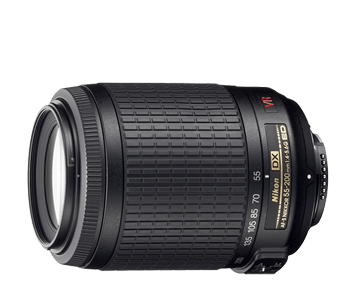
The AF-S DX VR Zoom-Nikkor 55-200mm f/4-5.6G IF-ED
Relatively inexpensive, just HK$1750. It's compact and lightweight (which is critical for me). Comes with a hood (which I honestly had no idea what it was for at the time!) Photos look good with no visible distortions. Even when zoomed all the way in, I'm still able to get sharp pics thanks to the built-in Vibration Reduction. Because it's so lightweight and exterior is made of plastic, it feels cheap in hand. But it costs a fraction of the price of higher-end stuff.

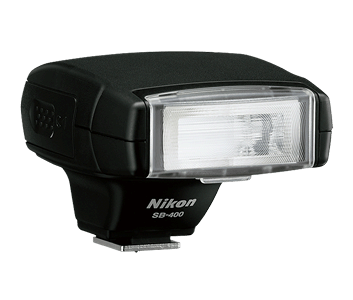
Nikon SB-400
Small and compact (seriously, this is critical for me!). Cost HK$950. The flash unit swivels up so you can bounce the flash. Unfortunately it doesn't swivel laterally.

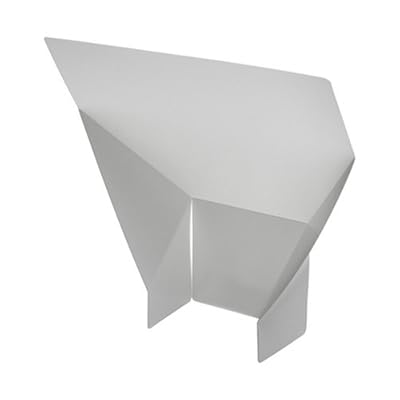
I was trying out the flash at home and it's amazing. Photos using bounce flash just looks more natural and alive. But then I realized, I can't always depend on having a white ceiling. So I need a bounce card. I know I can make one out of paper, but it's ghetto.

So, I went ahead and bought one of these for HK$20.
Now, with all this new stuff, I'm going to need to get a new bag. Seriously, somebody needs to stop me before I spend all my savings just for the sake of nice pictures.

I need Gollum to chew off that Ring.

I need my wife to say the following lines to me:
Her: I don't believe what I'm hearing! Obi-Wan was right... you've changed! You have turned to the dark side!
Me: I don't want to hear any more about Obi-Wan. The Jedi turned against me. Don't you turn against me!
Her: You're breaking my heart! You're going down a path I cannot follow!
Me: Because of Obi-Wan?
Her: Because of what you've done... what you plan to do! Stop! Stop now... come back... I love you!

Then, I'll Force Choke her before Obi-wan Kenobi sets me straight with a swift lightsaber swing to my left arm and both legs as I leap over him to get to more camera gear...

Wednesday, July 7, 2010

McDonald's Fries with Seaweed Seasoning?


So, I'm sitting at McDonald's and decided to slowly kill myself by having my side of fries. I noticed the little pack of seaweed seasoning that you're suppose to add to the fries. Checking the ingredients on the little package, I decided that the fries didn't need the additional help in slowly killing me.

Here are the ingredients of the seaweed seasoning.

Maltodextrin - Food additive; made from corn starch; often found in sodas and candy.
Dextrose Powder - This is just glucose; probably part of the maltodextrin.
Salt - Self explanatory.
Seaweed powder - Probably aonori.
Sea Lettuce Powder - Not sure how this is different to seaweed powder.
Lobster Powder - I was almost sure this was going to be a shady ingrediant. But apparently, it's actually made from lobster and is quite natural.
Sugar - Self explanatory.
Soy Sauce Powder - more salt and maltodextrin but this time with soybean.
Flavouring - Right...
Anti-caking agent E551 - Yum...
Flavour Enhancer E635 - Is this really necessary with all those aromatic powders already?
Vegetable Oil - Of course.
Spices - Right...

Mix this with the ingredients of McDonald's fries and you see what a mess it is.

Potatoes - Certainly...
vegetable oil (canola oil, hydrogenated soybean oil, natural beef flavor [wheat and milk derivatives], citric acid [preservative]) - Wonder what they use for "natural beef flavor"...
Dextrose - We've seen this before...
Sodium acid pyrophosphate - Keeps potatos from darkening.
Salt - More of this?
Prepared in vegetable oil ((may contain one of the following: Canola oil, corn oil, soybean oil, hydrogenated soybean oil with TBHQ and citric acid added to preserve freshness), dimethylpolysiloxane added as an antifoaming agent) - Again, more yummy goodness..

Wednesday, June 30, 2010

My Mobile History...

Nokia 8110
These first couple of phones were not mine by choice. I was too young at the time. My phones were basically old models that my parents no longer wanted. I remember the Nokia 8110 as the phone that was used in the movie, The Matrix. Unfortunately, unlike the movie version, the slider is not spring-assisted. Damn thing was huge. I remember a huge problem with it was that it had no vibration mode and the ringer was really soft. Missed all my calls.

Ericsson 768
Finally, a phone that was pocketable. I don't recall much about this one, except that this also didn't have vibration mode. But I bought a 3rd party addon that added this functionality. It was a thin black thing that attached to the bottom of the device via the charging ports. There were magnets inside it which vibrated everytime there was a call. Pretty ghetto solution.

Nokia 8210
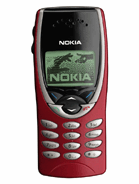
This was a phone that my parents literally picked up from the streets. Someone had left it on a bus. Even more petit than the Ericsson 768 and it finally had native vibration! I remember I tinkered a lot with the ringtone editor. Ironically, I lost this phone on the tram heading to the Peak in Hong Kong.

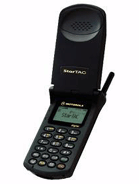
Motorola StarTAC
This will be the last phone that my parents choose for me. I just moved back to the US for university. And this was one of the most advanced phones in the US at the time. Mobile tech in the US at the time was just crap. Anyway, it was good enough. But this had to be the most boring phone I ever had.

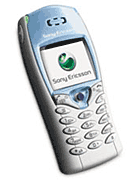
Sony Ericsson T68i
I remember I bought this phone because it was one of the first with a color screen (albeit 256 colors). Also, I liked it because the formfactor resembled the Nokia 8210 which I was quite fond of. This phone was also one of the 1st to support a camera. But the camera wasn't built in. It was an add-on to be purchased seperately and attaches to the bottom of the device. Similar to that vibration add-on for the Ericsson 768 and equally as ghetto. The joystick soon started to malfunction after about a year and a half of use.

Sony Ericsson T630
With the joystick failing on me, I sprung for the T630. It was an obvious upgrade path for me. Larger screen with 65k colors and built in camera! The camera quality and screen resolution were pretty pathetic. I had no idea why I thought the camera was cool. Again, joystick was the first hardware to start failing on me. I was beginning to see a trend...

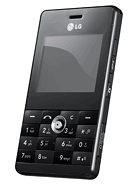
LG KE820
My T630 was purchased over in the US and didn't work with HK networks. So I was forced to get another phone when I moved back to HK. Besides, the joystick was shot. I decided that I just wanted a phone as small as possible. With the KE820's 9.9mm width and the relatively large screen, I was sold. I remembered that I thought to myself at the time "Wow, the screen is so huge. I should be able to enjoy videos on this thing!" So, I converted and loaded a couple of DVD's onto the thing. Unfortunately, the video player lacks a full screen mode. The video filled only about 75% of the screen. The number pad layout was also an issue. And then there's the friggen joystick which was again, the first hardware to start failing. Never was I going to get another device with a joystick.
But it wasn't the joystick that killed the phone. One rainy morning, I was running to the bus stop to catch my ride. Somehow, the phone slipped from my pocket, landed on the concrete, and I didn't even know about it. It just layed there for a while in the rain before someone picked it up and used the phone's contact list to reach me. I picked it back up from the kind individual, but by then, most of the buttons were dead.

HTC Touch Dual
HTC, an unknown brand at the time, started to market their Touch phone. I thought to myself that it would be nice if it had a keypad. Then the Touch Dual released and I couldn't wait to pick it up. At the time, I was sold on the large screen and formfactor. I had high expectations for Windows Mobile because I figured it must be pretty advanced compared to the last time I used the OS which was back in 2001 with the Compaq iPaq. Boy was I wrong. The OS is still the same and the device was pretty unstable. (See my review)

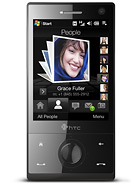
HTC Touch Diamond
I remember not liking Windows Mobile very much. But I loved what HTC did with the OS with TouchFlo3D. The Touch Diamond's release was pretty spectacular. I was almost drooling at the TouchFlo3D animations and the VGA display. (See my review)

HTC Touch Pro2
I was ready to jump ship from Windows Mobile, but Android was just not ready for primetime yet. And I really don't like the iPhone OS. At the time, the Touch Pro2 was my most satisfied phone purchase. Best hardware keyboard, huge screen, and snappy performance. It was still Windows Mobile, so there will be the occasional freeze but they were very rare. (See my review)

HTC Desire
The HTC Desire had all but one of the specs that I wanted in my next device. Internal storage of at least 4GB. But with the falling prices of microSD cards, it's something that I can overlook. The Desire has surpassed the Touch Pro2 as my most satisfied phone purchase. (See my review)

Tuesday, June 8, 2010

Retina Display? Really, Apple?


This "feature" of the upcoming iPhone4 is way overrated. All that was done was they doubled the horizontal and vertical pixel count of the previous iPhone. This resulted in a display that has 4x the resolution of the previous iPhone. That is, 960x640.

While this is impressive, it's not as magical as Apple makes it sounds. Most smartphones for the past couple of years have had WVGA screens (800x480). You'd be hard-pressed to find someone with eyesight good enough to perceive individual pixels on WVGA displays.

The increase in display resolution was not a surprising move by Apple. The previous resolution was quite pitiful. But only Apple can come up with a term such as "Retina display" as if it's some sort of new tech.

It's not! All they did was improved the screen resolution while maintaining the same 3.5inch screen size! The sad thing is that people will believe in this "Retina display" technology. When they go into a store and ask a sales about a non-Apple product, they'll say "Does this have a Retina display?"

OMFG...

Edit: This is in regards to the 1st commenter. I understand why they're calling it the "Retina display" but I don't understand why they have to call it anything at all. It's not new tech. It's not like we've gotten to the point where we just couldn't increase pixel density any further. Other than price and practicality, there was nothing to stop people from creating a display with 300+ dpi pixel density. Back in 2007, the Toshiba Protege G900 was released with a pixel density of 313dpi.
Conclusion: I praise Apple for releasing a commercial device with 326dpi pixel density. But I despise them for flaunting it as if it's something new that they invented.

(Are we going to have to come up with a new term everytime someone increases the pixel density beyond 326 going forward?)