I've been the proud owner of an HTC Desire for about a year. It's been a great run, but I think it's time I could use a new phone. A few aspects of the HTC Desire that has grown a bit long in the tooth:
AMOLED screen
The screen displays perfect black. That's about the only good thing about AMOLED. Initially, I figured that AMOLED would mean better battery performance, but the difference is negligible. Colors appear to be overly saturated. I think I would prefer a Super LCD screen on my next device.
1Ghz CPU & 576MB RAM
The 1Ghz Snapdragon is plenty fast. But there's a couple of instances where I longed for better performance.
1. Adobe Flash: Displaying Flash content just makes the browser lag. Flash works which I appreciate, but I'd appreciate it more if the experience remains smooth.
2. HTC Sense: There's no problems with the versions of HTC Sense designed for the HTC Desire. But I'm currently running the newer version of Sense that was made for the HTC Desire HD. There's occasional lags here and there. Nothing that breaks the bank but of course, it would be good to do away with the lags. Understandably, the Desire HD has 768MB of RAM. For my next device, I probably won't settle for anything less than dual-core 1Ghz CPU & 1GB RAM.
512MB ROM
512MB just didn't cut it even a year ago. The paltry internal storage was a compromise I was willing to make a year ago. Today, not anymore. I will no longer settle for anything less than 16GB internal storage along with microSD expansion slot.
WVGA resolution (800x480)
To this day, WVGA is still a good resolution for smartphones. That being said, I wouldn't mind qHD (960x540) for my next device.
2-point multitouch capacitive screen
This is a very well-documented and serious flaw of the HTC Desire (along with the Nexus One). The screen just doesn't recognize more than 2 touches on the screen. If one touch point ever crosses the axis of the 2nd touch point, the accuracy of the touch points become erroneous. This doesn't really affect things like pinch-to-zoom. But it does make gaming very frustrating. My next device must have a "true" multitouch screen.
Mechanical hardware buttons
I initially considered the mechanical buttons on the HTC Desire as something advantageous it has over capacitive buttons, like those found on the Nexus One. They were, until they started to break down. Currently, my Search button requires substantial pressure to activate and the paint around my Back button has peeled of so bad that the icon is unrecognizable. Capacitive buttons for my next device please.
Showing posts with label HTC. Show all posts
Showing posts with label HTC. Show all posts
Thursday, March 17, 2011

Sunday, November 28, 2010
What's the deal with WhatsApp?

WhatsApp Messenger is a smartphone messaging app which allows you to exchange messages with your friends and contacts without having to pay for SMS. WhatsApp Messenger is cross platform and available for iPhone, BlackBerry, Android and Nokia (beta) and yes, those phones can all message each other! To send and receive messages, WhatsApp utilizes your existing smartphone internet data plan: 3G/EDGE (or Wi-Fi when available)So, I don't understand what's the appeal?
1. It advertises itself as a cross-platform smartphone messaging app that utilizes your data connection so you don't have to pay for SMS. Every smartphone platform already comes built-in with such an app. It's called email.
2. Let's be honest with ourselves. WhatsApp is an instant messaging application. Every smartphone platform has apps for the main instant messaging applications already (ie, Google Talk, Windows Live Messenger, AIM, Yahoo, etc)
3. WhatsApp uses your mobile phone number as your user-ID. An instant messaging service provider has no business knowing your mobile number. So, there's actually a privacy/security concern here.
4. WhatsApp is in trial mode for Android. So it's currently free. But it costs US$1 for the iOS and this will certainly be the same for Android soon. Why pay for an app when you already have the functionality native on your device? Who would ever pay just for an instant messaging app? There's not even a desktop client!
In response to the comments:
Using your phone number is the reall clever bit. It means you can instantly see all your friends who also use it instead of having to find out their usernames. It is only an IM app but it's useful because so many people do use it across all platforms.Like I said, using your phone number is a privacy risk. How do we, as users, know what the guys at WhatsApp are doing with all this information? They can be selling it to telemarketers for all we know.
If WhatsApp is useful only because so many people use it across all platforms, then it will never be as useful as email. Email is used by everyone and it's supported on more platforms.
Alot, if not most of the Mobile IM clients are not always on (i.e., working in the background), you need to sign in to WLM or Yahoo! Messenger. WhatsApp is always working in the background therefore you get the message exactly when it is written. Thats a huge selling feature!!Yes, for all IM clients, the user has to sign in. Having to sign in is not a flaw. It's an option the application allows the user. You also have the option to sign out. Also, most IM clients include the option to automatically sign in. (Strange enough, you don't have the option to sign out of WhatsApp.)
With Windows Mobile or Android, once you sign in with your IM client, you just leave it in the background. As long as you don't reboot your phone, you are always signed in. I can't say the same for iOS though. So perhaps, this application is really for iOS users because they can't multitask properly?
I still fail to see how WhatsApp is better than email, which:
- is also instant.
- has no limitation on the type of attachments.
- is a native feature to every smartphone. You don't have to pay for and use a separate application.
- doesn't even require you to "add" a person. Just begin typing the recipients name and every smartphone will autocomplete the field for you if you have that person's email in your contact list. If you don't have the person's email in your contact list, just type the address.
- is not only cross-smartphone platform; it is truly cross-platform. Email can be accessed on smartphones, dumbphones, and computers.
Update
I'm getting multiple comments with various insults over this. They're not published because they're simply not constructive. The main purpose of this article is not to say that WhatsApp is terrible. I'm just trying to say WhatsApp is redundant and I find it odd that people are paying for what's essentially an application that provides you with a functionality they already have. So if anyone has an opposing view, then please, let's discuss because I would be interested to know why exactly is this app so popular.
From the comments so far, I respect the following reasons for using WhatsApp:
- Your contacts list is not populated with email addresses.
- You like the IM-style of WhatsApp but don't like to sign in to other IM apps.
Update #2
Wow. I just realized that WhatsApp on Android is free for the first year and then $1.99 per year thereafter. There's a subscription fee and there are still people who use this? It's just appalling to me that people will pay an annual fee for instant messaging.
Update #3
Lots of comments flooding in about how Whatsapp is better than email because of the IM nature of the app. Ok, I get that. Look through the comments and I've conceded that IM is better than email when it comes to chatting.
The reason I initially use email as a point of reference is because email is native to every single smartphone. There's not a single smartphone that doesn't support push email. If you have to open up your inbox to refresh it to see if you have any new emails, then you've set up your account the wrong way. So if you want to send and receive messages or files instantly, you don't need a third party app for it.
But if IM is your cup of tea, why not stick with Google Talk or Windows Live Messenger? There are numerous reputable IM cients available for free. Why support these guys over at Whatsapp?
Also, the previous argument against using other IM apps is that they drain battery. Not anymore. Both Android and iOS support push messaging background services. In fact, Whatsapp uses the same service.
Update #4
Commentors, please stop comparing Whatsapp with SMS. Whatsapp is not SMS, is not emulating SMS, and has nothing to do with SMS.
Can it replace SMS? Sure, but so can every other IM client out there. And they're free, more secure, and more fully featured.
Is a $1.00 one-time fee or a $1.99 annual-subscription a lot of money? No, not at all. But it's all relative. Consider what you're getting before paying for it. If everyone else is offering the same (and better) product without charging for it, what's the logic in paying for an inferior alternative?
It's like if your neighbor bought an ambulance and decided to announce to everyone that he's going to offer ambulatory services. He'll charge you a few bucks and bring you to the nearest hospital. Sure, it's not a lot of money. But why not just call 911?
Thursday, September 23, 2010
HTC Desire experience - Custom ROM

A day after rooting, I've taken another step forward in modding my Android device. I went ahead and installed a custom ROM (ie, LeeDrOiD).
I went through all this trouble with rooting and flashing my device; and for what? Just these 3 tiny reasons:
1. Battery indicator showing 1% increments - This feature should be standard on all devices. Without rooting, I would have to install a separate app to achieve similar functionality. I use to use Battery Indicator which shows the battery reading in the taskbar. But it's in addition to the default indicator; it doesn't replace it.
2. Access to paid apps in the Android Market - When I decided that I wanted access to paid apps, I didn't actually have something in mind I want to purchase. I just wanted the option to do so. The HTC Desire already has most of the apps I ever need preinstalled. For most of everything else, there are free selections readily available on the Android Market. To date, I've purchased just 3 Android apps.
Beautiful Widgets: I bought this several months ago when I was in NY and I had access to paid apps (legitimately). I use this only sometimes. I switch to this when I use alternative launchers which doesn't include HTC Sense widgets.
Documents-To-Go: Sure, it's expensive at US$9.99. But this is definitely worth it if you want to do any office document editing on-the-go. I bought this a day after I bought my phone. Thankfully, you don't need access to paid Android apps to buy it. You just download the free version off the Android Market and then pay at DataViz's site to get a registration code.
Fruit Ninja: First app I purchased after rooting and using Market Enabler. Just a silly casual game. It's cheap and fun!3. Ability to install all apps to microSD - I find this to be a bit overrated. I find the internal memory capacity just fine for my use. After installing all the apps I need, I find myself still with about 20-30MB free. But I see how this can become a problem for some who needs a ton of apps. Now with all my apps moved over to the microSD, I have about 90-100MB free. But I now have to seriously consider getting a larger capacity card because my 8GB card is about 70% full with all my media and apps.
Can't say anything else about the custom ROM. It's suppose to perform better but I can't really tell from day-to-day use. But performance was never really an issue on stock ROM. Apart from the above 3 items, I just need stability. As long is it doesn't crash on me, it's fine.
Tuesday, September 21, 2010
Finally rooted my HTC Desire

Anyway, I've finally decided to root my device. It's not because I want to flash custom ROMs. It's just because I want to access the Android Market for paid apps. Currently, Hong Kong is not in the list of countries that Google has approved for paid apps. Using unrEVOked, the entire process was a breeze. It took about 10 minutes (8 of those minutes were for waiting for the downloads and reboots). There was very little user input required...
I then installed Market Enabler and voila. Done. I can now finally purchase apps from the Android Market.
This seems to be something that everyone must do. It's just too easy. It doesn't hard reset your device, so all your data is intact. There's really no reason why not to do it.
Over the next few weeks, I'll finally look into custom ROMS...
Thursday, September 16, 2010
New and improved HTC Sense

1. Recent apps now appear in the notification shade. Seems a bit redundant to me when you can get to the same list by holding the Home button.
2. Maps. Offline mapping. Just brilliant.
3. HTC Sense in landscape. Meh. I think I'm in the minority for not feeling excited about this. Sure, it makes sense to have your homescreen in landscape mode if you're using a qwerty slider. But for those of us who uses a slab device, this is just meh...
4. Changes in the Mail application. I hope they changed more than just adding a "compose mail" button when viewing the inbox. currently, the HTC Mail application is not bad so, I'm eager to see what improvements they can manage.
5. Fast boot up. Videos are all over showing how the Desire Z and Desire HD boot up in just several seconds. I have my doubts on this. Seems to me that the devices are just waking from a deep stand-by state. I'd like to see the battery pulled and reseated before booting up to see if it's the real deal.
6. Changes in Camera application. The current HTC Camera application is very basic. I hope the revised version has more tools (ie, templates, stitching, continuous shots, etc).
7. Status updates in caller ID. Meh, this was available since the release of the Wildfire and was included in the official Froyo update for the HTC Desire.
8. Changes in customization. You can now rearrange entire screens which is nice.
9. HTCSense.com. This appears to be HTC's cloud-based service. Seems interesting. I hope this service will be free. Allows you to:
Remotely ring your phone.
Remotely lock and wipe your stolen/lost phone.
Backup data (contacts, call history, messages, etc)
Sharing and editing multimedia. Not sure how this is going to work.
See here for some screenshots.
Thursday, August 26, 2010
Smartphone feature wishlist - HTC Desire

I'm very satisfied with my HTC Desire. But like everyone knows, there's no perfect smartphone. There's always a feature or two missing. Here's a couple of things I wish the HTC Desire had.
Screenshot-taking ability
Requires root access which is quite silly. This is the only reason I'm considering rooting my device. It may be the best thing I've ever done. Will have to see how that goes!
More homescreens
7 Should be more than enough. But apparently, homescreens are like closet space. You can never have enough!
Dedicated dual-action camera hardware button
Pressing the optical pad to activate the camera shutter almost always results in blurry pics. For now, I'll have to settle for pressing directly on the on-screen viewfinder. I wonder if I'm able to somehow map one of the volume rocker keys to do the job...
Longer battery life
Current battery life is barely adequate. Unfortunately, battery technology is lagging behind.
Better video capture capability
Out of the box, the Desire can capture video at 800x480 (WVGA). After the official OTA 2.2 update, it can capture at 720p. I've found that WVGA captures were barely passable with good lighting. With inadequate lighting, framerates dropped and quality is horrible. 720p captures are no different. Instead of crappy video at 800x480, you now have crappy video at 720p.
Use HTC Sense widgets in conjunction with other launchers
I prefer using LauncherPro. But because HTC Sense widgets are tied to the default launcher, I can't use them in LauncherPro. This is the only reason I've not switched over to LauncherPro full-time.
Dedicated call-end hardware button
It would be much more convenient to be able to hit a physical button, hit standby, and slide the device back into the pocket without looking at the screen to verify that I indeed ended the call.
True multi-touch screen
The screen on the HTC Desire is limited to 2 touch points. That's fine for zooming and for typing. But being able to register more than 2 points is crucial for gaming. I'll try to explain in Nintendo terms. With the HTC Desire, you can instruct Mario to run to the right. Using your left thumb, you push the virtual joystick to the right while as the same time, you press the virtual B button with your right thumb. Things get tricky when you try to run and jump at the same time. You cannot hold the virtual B button while pressing the virtual A button. Along with the virtual joystick, that would mean you have 3 points of contact and the device will not register the presses and you will inevitably fall to your doom.
Monday, August 2, 2010
Some thoughts on the official Froyo update for the HTC Desire

HTC released the much anticipated official Android 2.2 (a.k.a. Froyo) for the HTC Desire over the weekend. I was already quite satisfied with Android 2.1 (a.k.a. Eclair) on my device but Froyo seems to have really taken it to the next level. There are a number of new features but I'll just highlight a couple of main ones here.
1. Overall speed is slightly improved. It's noticeable but not a huge difference since it was plenty fast before.
2. Probably the most touted feature of Froyo is Flash support. The native browser can now utilize Flash Player 10.1 to take advantage of numerous Flash content on the web. HTC had initially built-in limited Flash support in their original Eclair ROM for the Desire. It works but performance was quite poor. Flash videos would play but framerates were just horrible. Now, with Froyo and Flash 10.1, Flash videos load quick and play surprisingly smooth. I was able to watch videos from ESPN.com. Youtube videos would load right within the browser (ie, I wasn't kicked out to the streaming video player or the Youtube app). I was even able to play the browser version of Plants vs Zombies! It's a bit slow in that scenario, but it's a miracle that it works in the first place! Kudos to Google, Adobe, and HTC here. Very well done...
3. I'm pretty sure tethering was possible in Eclair. But now, it's idiot-proof. You just toggle the WiFi Hotspot on, set your device's SSID and encryption password, and that's all! Are you listening, Steve Jobs?
4. Installing applications to external memory should have been a feature that was suppose to be there since the beginning. But, better late than never.
5. Chrome to Phone is something that was new to me. I tried it out and it's just brilliant! With just one click in your desktop browser, you can send snippets of information to your Froyo enabled device! (ie, hyperlinks, phone numbers, text you want to copy to the clipboard, Youtube videos, Maps coordinates). This feature really can't be explained. It must be experienced. See here http://code.google.com/p/chrometophone/
6. 720p video recording was rumored to be a feature of the HTC Desire prior to release. Now, we finally get it. I must admit, it's not very impressive. Framerates are quite poor and there's a lot of noise. If you intend to view the video on your device, you should just record in WVGA resolution. If you intend to view it on a larger screen, by all means try 720p but manage your expectations.
Monday, May 3, 2010
Tips & Tricks for the HTC Desire

Long-pressing the Stand-by key brings up options to:
- Power off (obviously)
- Toggle Silent mode
- Toggle Vibration mode
- Toggle Airplane mode
- Toggle Mobile network
The last 4 items are particularly handy since that means you don't need dedicated widgets on your homescreen for them.
Pressing the Volume Down key after the ring volume is 0% will toggle on Silent mode and then Vibration mode. Similarly, pressing Volume Up key will toggle it back the other way.
Android does multi-tasking extremely well. Long-press the Home key to toggle between the most recent 6 applications you've been using.
Edit: After the official Froyo update, the most recent 8 applications are now available.
Edit2: If you have an Desire HD/Z ROM port, then the recent application list is also accessible in the notification shade.
To quickly move widgets across screens.
1. Tap and hold a widget.
2. With another finger, swipe across the optical pad to the screen you want to land on.
3. Release the widget.
The Home key also functions when you're holding a widget. So if you want to move a widget from the far left to the center screen, you just have to tap and hold, press Home, and then release the widget.
Speed up your browser
I've been doing this since Opera Mobile on my Touch Diamond and I'm pleasantly surprised I can still do this on Android's browser. The browser on the Desire is actually already quite fast. But try disabling Javascript. Many sites work just fine with this disabled and you'll definitely feel the difference in loading speeds.
In the browser, if you want to get to your History list, long-press on the Back key.
In the browser history, you can easily and quickly add/remove bookmarks by toggling the stars on the right.
Select and delete multiple messages at once in Mail application
This may already be well-known but it took me a while to figure it out so I'll include it here.
1. Press the Menu key.
2. Tap Delete.
3. Select the messages by tapping on the "X" on the right of each message.
4. Tap Delete.
Edit: If you run a Desire HD/Z ROM port, then your Mail application will have checkmarks always visible on the left.
Moving messages into folders in Mail application
1. Press the Menu key
2. Tap "More"
3. Tap "Move to"
4. Select messages by toggling the checkmark on the right of each message.
5. Tap "Move to (x)"
6. Select accordingly
In Mail or Messages application, tapping on the contact picture brings up several icons for you to do one of the following:
- Call the contact
- View the person's contact card
- Send SMS
- Send email
- Send IM via Google Talk
Synchronize with Google Exchange server as an alternative to the Google Mail application which is quite limited. Set up with the instructions here.
Edit: Ever since Google started releasing updates to their Google applications, the Google Mail application has actually become quite robust.
In the dialer, tapping the contact card icon on the right of each item will take you to the respective contact card. Tapping the plus icon allows you to add that number to your contact list.
In the dialer, if you don't input any numbers and you don't select anybody on the list and you just tap "Call", it will call the person on the top of the dialer list.
In the dialer, scrolling (either swiping the list or using the optical trackpad) will hide the number pad.
In the dialer, swiping laterally on the optical pad will toggle between different phone numbers of the selected contact.
Calculator can be rotated into landscape via accelerometer to transform into a scientific calculator.
As an alternative to the downward swiping gesture to unlock, press Menu key. Edit: This is no longer applicable after the official Froyo update.
To unlock the device, you don't actually have to swipe downwards on the bar near the bottom of the screen. You can begin your downward swipe anywhere and then let go once you make contact with the bar.
To see the current date, just tap on the notification bar and it will be displayed in the upper-left corner of the screen.
In camera application, tap and hold on a spot to focus there and take the picture.
The word suggestion bar (that appears during text editing) can be moved by tapping, holding and dragging it.
Press the Back key to hide the on-screen keyboard.
To select custom sound files for notifications, put them in the following folders in the root of the microSD
Ringtones
Alarms
Notifications
To jump to a particular letter in the Contacts list, you need to use the scroll bar. The scroll bar appears on the right when you scroll but will auto-hide after 2 seconds. To easily grab it, touch and the contacts list, scroll it (don't flick-scroll), stop, and let go. The scroll bar should now be stationary for you to just get it.
Alternatively, try scrolling vertically with two fingers on the screen.
Use the Search key. It's not just for searching Google.
-If you type a contact's name, you can easily access the contact card.
-If you type an application's name, you can easily launch it.
-If you press the Search key while you're in your browser bookmarks, you can search within there.
-many more uses!
Use the Menu key. Try it everywhere. You may find some helpful settings/options/features.
Press the following into your dialer to access some interesting stats:
*#*#4636#*#*
Go easy on widgets. HTC Sense has some really nice widgets but some of them adversely affects your battery life because of their need to be updated throughout the day. I'm not suggesting you don't use any of these. But try to take a conservative approach for better battery life.
-Twitter. Don't use the full screen Twitter widget. It only allows you to view tweets and post tweets. You can't interact with the tweets in other ways and you can't hit links. If you tap a tweet, you're just taken to the full Twitter application. Solution: Just have a shortcut to Peep on your homescreen. If you must tweet from your homescreen, use the 2x4 Twitter widget.
-Friendstream. See above regarding Twitter. Same thing.
-Latitude. Why anyone would use this is beyond me. This just keeps updating your current location. It'll wreak havok on your battery, especially if you have GPS enabled.
-News. Just have a shortcut to News application. The Widget almost doesn't make sense if you have more than several RSS feeds.
-Stocks. Again, you can just have a shortcut to the Stocks application.
-Weather. Remember, none of the weather widgets are necessary if you already use the HTC clock+weather widget. You can just tap the weather icon in that widget to launch the Weather application.
Use the optical track-pad. Lots of review sites mention that it's useless and that they'd prefer HTC to just not include it so that they can either have a larger screen size or smaller device. I find it to be very useful.
-Use it for precise cursor placement in text editing. Great for going back to correct a block of text.
-Use it for selecting text in text editing. Place the cursor where you want to start your selection. Long-press on the optical track-pad to bring up the context menu. Tap "Select text". Then use the optical track-pad to fine tune your selection. Afterwards, you can long-press on the optical track-pad to bring up the context menu to cut or copy the selection.
-Use it in the browser to jump between links. This is useful if the links are very small. You can also long-press on the optical track-pad to bring up the context menu so that you may open in new window, etc.
If you don't want the default Photo or Music application to pick up media files in a particular folder, just add a blank text file name ".nomedia" in that folder.
Install Voice Search and Voice-to-Text. For whatever reason, HTC decided to leave these 2 amazing features out.
1. You'll need a file explorer application from the Android Market. Astro works for me.
2. Download and install Voice Search.
3. Download and install the HTC_IME mod.
4. Go to Settings > Language and keyboard
5. Toggle on "HTC_IME mod"
6. Long-tap on a text entry box.
7. Select "Input method" from the popup
8. Select "HTC_IME mod"
Edit: This is no longer applicable. The official Froyo update includes Voice-to-Text and Google has since made Voice Search available on the Android Market.
Music controls on the lock screen autohide after a few seconds. Swipe up to bring them back.
To get your Google Reader feeds on to the HTC News application:
1. Export your Google Reader subscriptions as OPML file.
2. Save this file onto your device. (If necessary, rename the file extension from xml to opml.)
3. Import this file into your News application.
If you are locked up in a loop where HTC Sense acts up and starts to force close, use the search key and type the first few letters for "Applications". You should be able to access the Applications settings menu. Go into "Manage applications". Go into "HTC Sense" and tap "Clear data". This will erase all your Scenes but it's better than doing a hard reset.
If you are locked up in a loop where HTC Sense acts up and starts to force close, use the search key and type the first few letters for "Applications". You should be able to access the Applications settings menu. Go into "Manage applications". Go into "HTC Sense" and tap "Clear data". This will erase all your Scenes but it's better than doing a hard reset.
Fastest way to soft reset is to press Power/Standby key + Volume Down key + trackpad. Not recommended if your device is still responsive.
When composing an email using the Mail application and you have multiple email accounts configured, you can select which account to send from. This applies even if you are replying to an email. For example, if someone sends an email to your Gmail account, you can reply to it with your Hotmail account.
In the email composing screen, scroll all the way to the top. Above the "To" field, there's a button that indicates which account the email will be sent from. Tap that button to pop-up a menu that lets you select an alternate account.
If you are listening to music via the default music player, pulling out the headphones will stop the music playback. So you don't have to stop the music before pulling out the headphones.
Chrome-to-Phone. Anyone who has used it will agree this is a killer feature of Android. See here for installation. It connects your desktop Chrome browser with your Android. Allows you to send several different items to your Android.
If you are listening to music via the default music player, pulling out the headphones will stop the music playback. So you don't have to stop the music before pulling out the headphones.
Chrome-to-Phone. Anyone who has used it will agree this is a killer feature of Android. See here for installation. It connects your desktop Chrome browser with your Android. Allows you to send several different items to your Android.
Text: Select any text in the browser and click the Chrome-to-Phone button to copy the text onto your Android's clipboard. I use this all the time if I want to type out a long SMS on my desktop. I just go to Google.com and type it in the search box. Then I select the text and hit the Chrome-to-Phone button. Then all I do on my Android is to paste the text onto the Messaging application.
URL: Go to any site and click the Chrome-to-Phone button to send the site url to your Android. Depending on your settings, the site will automatically start loading on your Android browser or you'll receive a notification which will open the site if you click it.
Phone number: If you select a phone number in the browser and click the Chrome-to-Phone button, the number will appear in your dialer.
Map: If you've navigated to a location on Google Maps, clicking the Chrome-to-Phone button will open up your Android Maps application and navigate to the same location.
Youtube: If you're on a Youtube video page, clicking the Chrome-to-Phone button will open your Android's Youtube application and load the same video.In the browser, enable "Open in background". This allows you to stay on the current page as you open links in new windows. You'll be able to browse much faster this way. For example, let's say you want to open 4 links from the site you're visiting. Just open up the first 3 links in a new window and the 4th link in the current window. While it's loading, switch to the next window to view the 1st link which should have loaded by now. Then you can continue on to the next windows without waiting since they would have loaded by the time you finished with the first window!
Monday, April 12, 2010
HTC Legend Review

Worthy successor to last year's most talked about smartphone
The HTC Hero was one of the better smartphones released last year and arguably the best Android device. The HTC Legend improves upon the Hero in many ways.
Specs here.
The retail box contains the following:
- The device itself
- 2GB Class 2 microSD memory card
- USB to microUSB cable
- Wall charger (USB output to the above mentioned cable)
- Stereo handsfree set (Uses the 3.5mm audio jack, contains mic, and buttons to answer calls and control your music playback)
- Manuals, Warranty info, and other literature.
Just looking at specs, there's really not much difference. There's a 72 Mhz improvement in CPU clock speed and 96 MB improvement in RAM. The trackball has been replaced by an optical trackpad. The camera is still 5MP but is now accompanied by an LED flash.
Despite the minor hardware improvements, the Legend feels significantly faster than the Hero. No lags in animations and screen transitions. Pinch-to-zoom (in either browser or photos) feels much smoother than on the Hero.
The main difference from the Hero (and other devices available now) is the design of the Legend. It's has an aluminum unibody design. This makes the device thinner and feels very sturdy in hand. The brushed finish makes it less slippery to hold. It's compact size makes it very pocketable. The chin from the Hero is still here but it's more subtle.
Consider swapping out the 2GB microSD card for something at least 8GB. It would have been ideal if HTC had included a couple of GB of internal storage. But it's a minor issue since 8GB cards are pretty inexpensive these days.
The device does not come with screen protectors or a pouch. So you may want to invest in one or the other or both. The screen is glass so it won't scratch easily. But having a screen protector won't hurt. Plus, it'll greatly improve the resale value if you decide to sell it in a year or two.
The screen is HVGA resolution which you would think pales in comparison to WVGA devices. In reality, it doesn't. There's a difference obviously but it's not like everything is fuzzy in HVGA.
Please see my Desire review for my comments regarding the browser, keyboard, and negatives about the device. The same applies here.
(Unlike the HTC Desire, the Legend allows you to attach a lanyard.)
A couple more differences between the Legend and Desire:
- Less options available in email retrieval scheduling compared to the HTC Desire.
- You can have seperate wallpapers for the lockscreen and homescreen on the Legend while you can't on the Desire.
- The Desire supports live-wallpaper (animated) while the Legend doesn't.
Conclusion:
The Legend is perfect for someone who wants something compact and sturdy. The unibody design makes it look super sleek. It's got both style and substance. If you choose it over the HTC Desire, you're not missing out on anything other than screen size.
HTC Desire Review
Truly deserving of the name "Superphone"
The HTC Desire is the ultimate do-everything device. It has everything that can ever want from a smartphone, except a hardware qwerty keyboard. But then once you try HTC's on-screen keyboard, you'll realize you don't need physical keys. More on that later.
Check out the specs here.
The retail box contains the following:
- The device itself
- 4GB Class 2 microSD memory card
- USB to microUSB cable
- Wall charger (USB output to the above mentioned cable)
- Stereo handsfree set (Uses the 3.5mm audio jack, contains mic, and buttons to answer calls and control your music playback)
- Manuals, Warranty info, and other literature.
A couple of things to consider after getting the Desire.
You should swap out that 4GB microSD for something at least 8GB. It would have been ideal if HTC had included a couple of GB of internal storage. But it's a minor issue since 8GB cards are pretty inexpensive these days.
The device does not come with screen protectors or a pouch. So you may want to invest in one or the other or both. The screen is glass so it won't scratch easily. But having a screen protector won't hurt. Plus, it'll greatly improve the resale value if you decide to sell it in a year or two.
(Not sure if anyone finds this significant, but the Desire does not have a place for you to attach a lanyard.)
I'll start with aesthetics.
The back and the chin (Yes it has a chin but it's so subtle that you'll barely notice it) of the device is covered in a black rubbery finish. This coating is soft to the touch and has good grip, making the device feel very good in hand. The round edges, light weight, and thin form-factor means it doesn't feel bulky at all.
The screen is just excellent. Colors really pop and blacks are really black because of the AMOLED technology. Photos and videos look amazing. Many people are saying that there's a flaw in the display because some shades of gray appear in a pink tint. I can verify that this issue exists but it doesn't deserve the amount of attention it's getting. The pink tint is extremely subtle, only visible in certain rare instances, and really doesn't interfere with anything. That is, you really have to look for the pink just to barely see it.
The software of Android and HTC Sense has been covered extensively by other reviewers so I'll try not to repeat what everyone knows already.
Performance is spectacular. Screen animations are smooth. GPS locks in 10 seconds from cold start.
The browser deserves praise. It is the fastest I've used on a portable device. It probably rivals some desktops. It renders swiftly and accurately. Flash content appears in their full glory. (Personal tip: try disabling JavaScript via the browser settings. Most sites will work with it disabled. You browser will feel even faster than it already is!). You can of course use pinch-to-zoom. The text will re-flow so that you don't have to scroll horizontally. Try flick scrolling rapidly on another device and you'll notice the checkerboard pattern as the screen refreshes to display the content. This doesn't happen on the Desire.
It's been mentioned by other reviewers that HTC's on-screen keyboard is excellent. I think it's so great that it deserves mentioning again. It is indeed excellent. The portrait keyboard is fine for short phrases. But turn it sideways to switch to landscape and you'll be able to type full speed with 2 thumbs. The word recognition software works great. You don't have to be even remotely accurate and it'll be able to guess correctly. Try keeping your eyes on the keyboard as you bang away at the keys and you'll be amazed at how accurate your message turns out.
A couple of minor gripes about the device:
Can't edit Microsoft Office documents. Coming from Windows Mobile, I've gotten used to being able to view, create, and edit Office documents. Natively, you can only view Office documents with the Desire. But there are paid applications in the Android Market that will enable this functionality and it is well worth the price.
HTC Mail widget doesn't pull info from Gmail application. The Mail widget only feeds from the Mail application. So, if you want to use the Mail widget to display your Gmail account, you'll need to set up your Gmail account via IMAP4, POP3, or Exchange.
Can't select and copy text from Gmail application. Again, you'll need to use IMAP4, POP3, or Exchange. (Edit: This has since been fixed since Google started releasing updates to their Google applications through the Market)
The OS should be re-skinned to use more blacks to fully utilize the AMOLED screen. This might help with battery life which isn't very impressive. It'll last at least a day but it really depends on what widgets and applications you use and how often they are refreshed/updated.
Voice-to-text is not included. You'll need to install it separately. (Edit: Voice-to-text has since been included in the official Froyo update.)
Conclusion:
I wonder how Google feels about the HTC Desire. Google asked HTC to build the Nexus One, which they did admirably. Then HTC goes and builds their own version with better hardware and design plus their own superior software.
When I went from the HTC Touch Diamond to the Touch Pro2, the experience and performance benefits were like night and day. Now, from Touch Pro2 to the Desire, again, it's like night and day.
Is the HTC Desire the best smartphone available today? I think I can claim it to be better than the following devices:
Apple iPhone 3GS
HTC HD2
Google Nexus One
Motorola Droid/Milestone
Sony Ericsson Xperia X10
This is now the phone to beat. Look out...
Wednesday, March 17, 2010
HTC responds to Apple's patent lawsuit
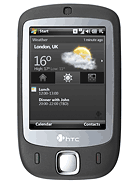
HTC finally released a statement to Apple's patent lawsuit.
Seems like HTC has got some fight in them. They even got in a couple of shots in the press release by stating that they've been around since 1997 and that they released the first gesture-based smartphone in June 2007. They are of course referring to the original HTC Touch which was released right before Apple's 1st-gen iPhone.
Related blog post: My take on the Apple versus HTC lawsuit
My take on the Apple versus HTC lawsuit


Certainly, most people have heard of Apple's lawsuit against HTC. If not, see here for details.
I'm not going to give my opinion on who I think will win because I read through the patents that Apple claims HTC infringed on and I think the whole case is just ridiculous.
Here's a couple of thoughts that I take away from reading about this lawsuit:
1. Apple sees HTC as a threat. Congratulations are in order for HTC. A couple years ago, nobody has even heard of them even though they've been making handsets for a number of years. Their marketing strategy over the past few years has been to boost their name brand. This lawsuit plays right into HTC's hand. More people will now be aware of HTC because of this lawsuit.
2. Apple is expected to announce the 5th-gen iPhone this summer. I think after what Apple saw at the recent Mobile World Conference, they've realized that their 5th-gen iPhone is just not adequate enough for the competition. Therefore, we have this lawsuit as an act of desperation. Certainly, Apple has not thought this through. Going against HTC means going against Google and Microsoft. Not smart at all.
3. Something is seriously wrong with the US patenting system. Some of those approved patents are just mind-boggling.
Update: HTC responds...
Tuesday, March 16, 2010
HTC Touch Pro2 Review

Great communication device
This is my 3rd Windows Mobile device and it is indeed the best one yet. It works great right out of the box. I've had it for several months now and have yet to really have a need to run a custom ROM. I recently purchased a ExtUSB to 3.5mm adapter and my iPod Touch has since been made redundant.
We all know the pros and cons of Windows Mobile, so I tried to keep the following specific to the device rather than the OS.
The defining feature of this device is the slide-out 5-row qwerty hardware keyboard. It is simply the best of it's kind in the mobile world. The buttons are spaced out in an offset layout just like your PC keyboard. They have a good tactile feel to it. With very little effort, you'll be able to bang out entire essays without discomfort. The dedicated number row deserves mentioning as well.
Screen size and resolution is excellent (3.6" WVGA). Web browsing and displaying photos and videos is impressive. Touch screen sensitivity is improved but it is still resistive (so pressure is required).
The Zoombar is interesting. It's only utilized in several applications but it works. It is resistive. I bet most people would have preferred a directional pad.
Speakerphone quality is excellent. And being able to access it by simply turning the device over is smart and intuitive. Great job, HTC!
TouchFlo3D penetrates into Windows Mobile even more (which is always good). Speed is greatly improved compared to 1st-gen TF3D devices like the Touch Diamond and Touch Pro.
One thing that HTC talked about when they announced the product was Push-Internet. Personally, I think it's an unnecessary feature. But I can't fault it since it works. I just wished there was more flexibility in terms of scheduling this feature.
Performance was good. Rarely lags and even when it does, it's not a deal breaker.
Pros:
-Best keyboard on a mobile device
-Large sensitive high resolution touch screen (plus it tilts)
-Proximity sensor works very well
-TouchFlo3D
-Zoombar is quite handy
-Good battery life
-Conference calling made easy
-Good speakerphone device
-Push Internet (not a truly innovative feature but works well)
-Improved Photo Album app (swiping left/right to get to next/previous photo is very smooth)
-Youtube app
-Autofocus camera works well in good light
-Great performance
-Good audio quality
-Excellent source of support at the XDA forums
Cons:
-no flash on camera means grainy photos under inadequate light
-no dedicated button for camera
-microSD and reset button are under battery cover (unlocked version)
-default video player software doesn't support many formats (you'll need a 3rd party player like Coreplayer)
-no 3.5mm headphone jack (unlocked version)
-large and heavy (but considering the screen size and keyboard, it's quite fair)
-round edges and chrome makes it look like the iPhone
Conclusion: An excellent device. It's easily the best Windows Mobile device (until the release of the HTC HD2). I can't praise the hardware keyboard enough. For those who want Windows Mobile, you can't go wrong with the Touch Pro2. If it's too large for your taste, the Diamond2 is worth a look; same device without the keyboard.
HTC Touch Diamond Review

Great job by HTC in bringing Windows Mobile to the consumer market
If the HTC Touch Diamond is judged as a consumer device, it would fail miserably. That is because the Diamond runs Windows Mobile 6.1 which was never a consumer friendly OS. Many elements of the OS interface appears outdated and it's often confusing to navigate with the tiny menus and cryptic labels.
That being said, HTC had done an admirable job of hiding Windows Mobile with their own UI, TouchFlo3D (which is essentially just a Today-screen plugin). TouchFlo3D allows the user to accessed the most common features of Windows Mobile right from the home screen. And it looks good, too. There are multiple tabs and each has it's own function (ie, Home, People, Messages, Mail, etc). Navigating between the tabs is quick and easy. Just drag the slider, use the left/right buttons, or swipe left/right on screen.
However, users will soon realize that TouchFlo3D is really just a skin and they'll have to face the ugliness of Windows Mobile soon enough. Eg, the calendar application is the default WinMo app that hasn't been updated since the 90s.
It should be pointed out that early ROM builds were extremely unstable because TouchFlo3D used way to much resources. Moving between tabs had a fly-by animation included. This has since been removed in updated ROMs released by HTC and performance was noticeably improved.
192MB of RAM was quite decent at the time of the Diamond's release but it left users yearning for more because of TouchFlo3D's resource demands. It would have fared much better if it had the 288MB of RAM that it's keyboard-equipped cousin, the Touch Pro, has.
The hardware design of the device is quite astonishing. It was and still is one of the most thin and light Windows Mobile smartphones of all time. The 2.6" VGA display was excellent. Text appears crisp and details of high-resolution photos are shown beautifully.
Some negative aspects of the Touch Diamond:
-No flash on the camera.
-No dedicated camera button.
-Left and Right directional keys are difficult to press.
-Hardware keys don't respond as fast as I'd like.
-No expandable memory (although it does have 4GB internal)
-Back battery cover is not flat and scratches easily.
-TouchFlo3D doesn't go deep enough.
-Performance could be improved, especially with TouchFlo3D enabled.
Conclusion: Windows Mobile offers the most features out of all smartphone platforms. But it's not the easiest to use. This device is for the advanced user. It finally lets the WinMo users show off their phones without feeling geeky about it.
HTC Touch Dual Review

For those that want pocketable messaging device
I'll begin with the aesthetics. The device maintains the look of the HTC Touch. It's slightly more narrow, making for a slighty smaller screen. The resolution is QVGA which was acceptable at the time, but would be quite outdated nowadays. The entire body has a non-slippery rubber finish, making it feel quite nice in hand. The sildeout keyboard is spring-assisted which is nice.
Depending on which version you purchased, you have 1 of 2 variations of keypad layout. One is the traditional 16-key with the T9 layout and the other is the 20-key suretype-style layout. I had the 20-key layout and it was a joy to type on. I could go almost as fast as I could on my desktop.
On the software side, it runs Windows Mobile 6.1. Among the things that HTC added were the Today-screen plugin (HTC Home), the TouchFlo cube, finger scrolling and panning, custom photo album, and custom music player.
The included Internet Explorer browser is utterly horrible. This will be the source of all your device's freezing. Nowadays, you should be able to ditch it for Opera Mobile.
The TouchFlo cube makes it easy to access some of Windows Mobile's applications without drilling into the Start Menu, but that's really all. You can't customize it without going into the registry and editing image files.
The photo album is quite nice. But the zooming gestures are unnecessarily difficult.
The HTC music player is easy to use and provides large buttons.
If the device is used as a messaging phone, then it's really excellent. Making calls is extremely easy. All you have to do is slide out the keyboard and start typing the persons name. Typing SMS or emails is easy because of the keyboard.
But if you want to use it as a smartphone, it may get frustrating. The calendar, notes, and tasks applications all look outdated. You will need the stylus to navigate the OS. The browser, as mentioned, is unimpressive.
Note: By this time, ROMs with TouchFlo2D can be flashed onto the device which makes it seem like something entirely new and definitely adds to the usability.
Positives:
-Good build quality
-Excellent keypad
-Compact formfactor
-HTC Home plugin is useful
Negatives:
-No WiFi & GPS
-Camera is fixed focus
-No flash on Camera
-Small screen
-OS not optimized for finger friendliness
-Photo album zooming is difficult
Conclusion: Buy this device for it's phone and messaging capabilities. It falls flat when it comes to multimedia. Web browsing is quite frustrating with the small low res screen.
Subscribe to:
Posts (Atom)